
XME LOOPS
XME Inc.Music & Audio
4.5245.00 Reviews
- Version
- 2.0.8
- Installs
- 50.00K
- Age Rating
- Everyone
Screenshots
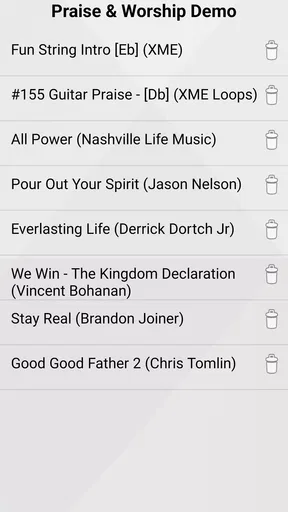
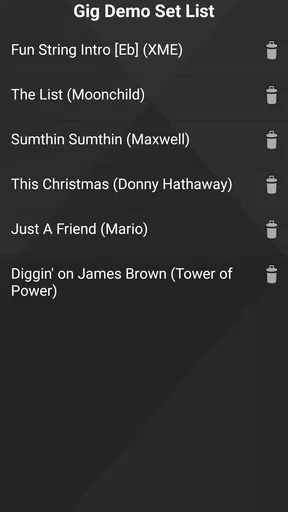
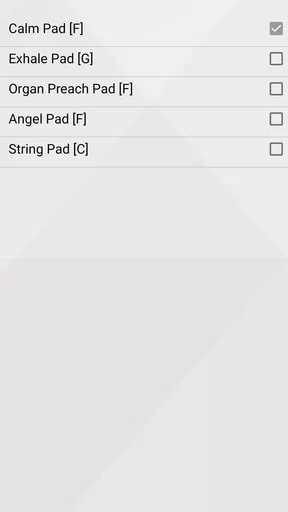
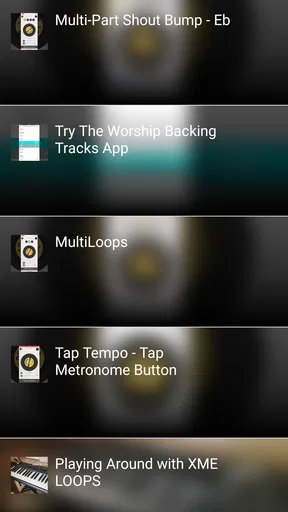
Our Review of XME LOOPS
 Analysis by Appyee
I tend to reach for a loop-making app when I have a musical idea but not the time or setup to build a full arrangement. XME LOOPS is aimed at that kind of quick, hands-on experimenting: it gives you a way to work with musical loops on a phone rather than starting in a desktop production program. I like that focused premise, though the experience is shaped by a practical question: how smoothly can I get from opening the app to making something when I’m on the move or relying on a connection?
When the network becomes part of the session
Loop-making often happens in short bursts: a melody comes to mind on a commute, or a rhythm starts taking shape while I’m waiting for something. In those moments, I want the creative part to begin quickly. With XME LOOPS, I would treat the time needed to reach or load sounds as part of the workflow, especially when moving between a strong home connection and a less reliable mobile one. I wouldn’t plan an important session around being able to fetch material instantly in every location.
That doesn’t make the app unsuitable for spontaneous ideas. It just changes how I’d use it. If I had a few minutes before leaving home, I’d explore sounds and get a rough direction in mind while the connection was dependable. Once out, I’d focus on the material already available in the session rather than counting on a fresh search or download to work without delay. This small habit can keep a promising idea from being interrupted by a loading pause.
Making music in ordinary mobile settings
A phone is convenient for sketching, but it also comes with distractions: notifications, a crowded screen, and the temptation to make decisions too quickly. I’d use XME LOOPS for a compact task, such as trying two rhythmic ideas under the same musical phrase, rather than expecting a phone session to replace a long, carefully organized studio workflow. That distinction helps set fair expectations: the app is most appealing when the goal is to experiment, not to manage every stage of a finished production.
A realistic use for me would be a quiet moment at home before dinner. I could open a project, audition a few loop combinations, and save a promising direction to return to when I have more time. On a noisy train, the same task may be less satisfying: it’s harder to judge whether sounds sit together when I can’t listen carefully. For mobile use, headphones and a deliberate, short session are more useful than trying to make detailed decisions wherever I happen to be.
What to do when a session is interrupted
Connectivity can fail at inconvenient times, but so can attention, battery life, or a phone’s ability to stay free of interruptions. I’d avoid building a complicated session around a single untested assumption about what will remain available after closing or reopening the app. A sensible routine is to save work when a useful idea appears, then check that it is still there before moving on to another task. That’s a general precaution for creative apps, not a claim about a special recovery feature.
If a sound takes too long to become available, I wouldn’t keep repeating the same tap and hope for a different result. I’d check the connection, give the app a moment, and return to the session once the network is stable. For an idea that can be hummed or tapped out, I’d also make a quick note elsewhere before switching apps. It’s a simple backup for the creative thought itself, which is often more valuable than the first rough arrangement.
Keeping use considerate of mobile data
Anyone who watches data use closely should be thoughtful about exploring new material away from Wi-Fi. Browsing or loading audio can be a different kind of activity from simply revisiting an arrangement, so I’d do broader exploration on a trusted connection and save mobile data for focused sessions. I wouldn’t assume that a particular setting controls every network action; instead, I’d check the phone’s own data-use tools if conserving a monthly allowance matters.
This approach also makes browsing more intentional. Rather than auditioning sounds without a plan, I’d decide what I’m trying to find first: a steady pulse, a contrasting texture, or a loop that leaves space for a melody. A narrow search keeps the session moving and makes it easier to notice which choices genuinely improve the idea. It’s a useful trade-off for anyone who wants creative freedom without turning every spare moment into an open-ended browsing session.
Getting Started with XME LOOPS
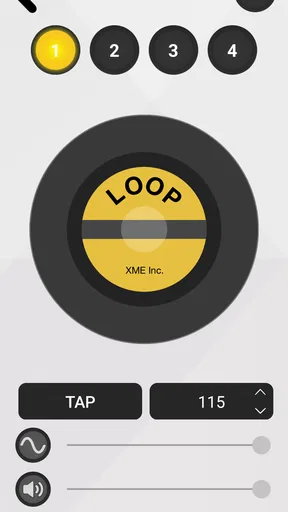
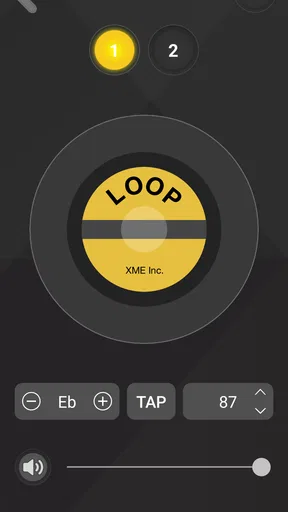
So, you’ve downloaded XME LOOPS, and you’re ready to dive in. The first thing you’ll notice is how user-friendly the interface is. I mean, even if you're not a tech wizard, you’ll find your way around pretty quickly. The app has a clean design, which I appreciate because it doesn’t distract you from the main goal: making awesome music loops.
Features That Stand Out
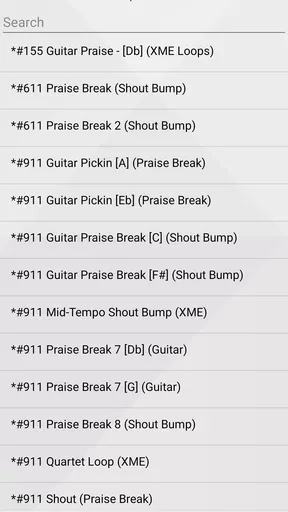
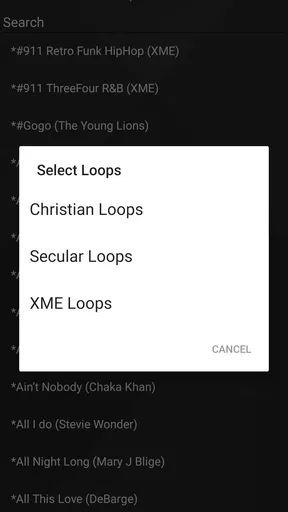
Let’s talk features. There’s a ton to unpack here, but I’ll hit you with the highlights. First up, the library of loops. You get a vast selection of genres to choose from—hip-hop, rock, jazz, you name it. It’s like having a mini studio in your pocket. And the best part? The loops are high-quality. No tinny, low-fi sounds here.
Another cool feature is the customization options. You can tweak and alter loops to fit your style. Whether you’re layering sounds or adjusting tempos, it feels like you have full control over your musical creations. The app also lets you save your loops, so you can revisit and refine them later. This is a game-changer for anyone serious about music production.
Jamming Out
Now, let’s talk about the actual experience of using the app. I spent a good few hours just playing around, and honestly, I lost track of time. It’s super engaging. You can easily mix and match different loops, and before you know it, you’ve got a track that sounds like it was made in a professional studio.
One thing I found particularly cool is the ability to collaborate. You can share your loops with friends, which opens up a whole new world of possibilities. Imagine creating a loop, sending it to a buddy, and then having them add their twist. It’s like having a jam session without leaving your house.
Who Will Love This App?
If you’re a music teacher, XME LOOPS could be a fantastic tool for your classes. It’s intuitive enough for beginners, yet offers enough depth for more advanced users. It’s also great for musicians looking to experiment with new sounds and ideas.
And hey, even if you’re just someone who loves music and wants to mess around with loops, this app is a solid choice. It’s fun, it’s creative, and it doesn’t require a ton of prior knowledge.
Choosing it over other music tools
Compared with a full digital audio workstation, a loop-focused app is a lighter place to start: I can test combinations without first organizing a complex project or learning a deep set of production controls. That simplicity is a real advantage for beginners and for musicians who want a sketchpad on their phone. The trade-off is that anyone who needs detailed recording, intricate editing, or a carefully structured arrangement may prefer a more comprehensive production tool.
It also serves a different purpose from a streaming music app. Streaming is for listening to finished songs; this is for playing with musical building blocks and shaping an idea. If I only want background music, I’d choose a player. If I want to hear how a few loops might work together, XME LOOPS is the more relevant kind of tool. I’d keep those expectations separate rather than judging it by features meant for listening or for professional studio production.
A practical way to explore without losing the idea
One useful approach is to start with a specific role for the loop instead of picking sounds at random. I might begin with a pulse, then add a contrasting layer only if it helps the rhythm or mood. When a combination feels promising, I’d save it before continuing to experiment. That creates a clear checkpoint: I can try a bolder alternative without losing the version that first worked.
For teaching, I can see a focused exercise working better than an open-ended demonstration. A teacher could ask students to compare how the same musical idea feels with different loop choices, then discuss which version leaves the most room for a melody. That keeps the app in the role of a creative prompt rather than presenting it as a substitute for learning rhythm, arrangement, or listening skills. It also gives beginners a manageable way to make decisions and hear their effect.
Who may want a different setup
Someone who already produces complete tracks in a desktop environment may find a phone loop app too limited as a main workspace. They may still enjoy it for quick sketches, but I wouldn’t make it the center of a workflow that depends on advanced editing or precise control across many parts. Likewise, someone who wants to record a live instrument as the central step should check whether the app’s approach fits that need before committing time to it.
There’s also a difference between casual fun and a dependable production routine. If I’m preparing music for a deadline, I’d want a workflow I know well and a place to keep reliable copies of important work. XME LOOPS makes more sense to me as a place to experiment and build a starting point than as the only tool in a high-stakes project. That’s not a knock on its convenience; it’s simply a better match for what a phone-based loop session does well.
Cost, access, and what to expect
The app is free to install, and its age rating is Everyone. XME Inc. develops it; it was released on July 1, 2017, and version 2.0.7 is listed for devices running Android 6.0 or later. The store’s purchase information includes items at $9.99 each, while its summary describes a monthly payment of $10 for unlimited loops, with additional loops included at no extra charge. I’d read the in-app purchase details carefully before paying so I understand which option is being offered and what access it covers.
That paid access matters most to someone who expects to explore a lot of material over time. If I only want to try loop-based music making casually, I’d first see whether the free experience suits my habits rather than assuming I need a subscription. If I find myself returning often and wanting a broader selection, the monthly offer may be easier to evaluate against how much I actually use it. The right choice depends on whether ongoing access fits my creative routine, not just on the appeal of having more options.
Its average rating is 4.5 from over 900 ratings, with more than 200 written reviews and over 50,000 installs. Those figures suggest that it has found an audience, but I’d still judge it by the kind of music-making I want to do. A positive reception cannot tell me whether a loop library, mobile workflow, or purchase model fits my own needs.
My connectivity verdict
Connectivity is worth treating as part of the setup rather than an afterthought. I’d browse when my connection is steady, save useful work as I go, and avoid relying on a last-minute session in a place where network access may be unreliable. For data-conscious users, a little planning can also make exploration more deliberate. These habits won’t turn a phone into a studio, but they do make short creative sessions easier to manage.
Final Thoughts
So, what’s the verdict? XME LOOPS is definitely worth checking out. It’s a versatile app that caters to a wide range of users. Whether you’re just starting out or you’re a seasoned pro, it offers something for everyone. Plus, it’s just plain fun to use.
If you’re ready to take your music creation to the next level, give XME LOOPS a go. You might just find it’s the missing piece in your musical journey. Happy looping!
Verdict
Strengths of XME LOOPS
- User-friendly interface for easy navigation.
- Wide variety of loops and beats available.
- High-quality sound output for professional use.
- Offline access to downloaded loops.
- Regular updates with new loops and features.
Limitations of XME LOOPS
- Limited free content; many loops require purchase.
- Occasional app crashes disrupt workflow.
- Some users report slow loading times.
- Loop customization options are somewhat limited.
- Requires significant storage space on the device.
Other Releases by XME Inc.
View All
Worship Backing Tracks
Music & Audio4.7

XME TRIGGERS
Music & Audio4.8
Similar Picks in This Category
View All
YouTube Music
Google LLC4.4

Samsung Music
Samsung Electronics Co., Ltd.3.8

Spotify: Music and Podcasts
Spotify AB4.3

JioSaavn - Music & Podcasts
Saavn Media Limited4.3

Lark Player:Music Player & MP3
Lark Player Studio - Music, MP3 & Video Player4.6

StarMaker: Sing Karaoke Songs
SKYWORK AI PTE. LTD.4.3
Frequently Asked Questions
What is XME LOOPS and how does it work?
XME LOOPS is a music app designed for musicians, DJs, and live performers. It provides a library of high-quality audio loops across various genres, which can be mixed and matched in real-time during performances. Users can customize loops, adjust tempo, and create seamless transitions to enhance their live shows.
Is XME LOOPS suitable for beginners?
Yes, XME LOOPS is user-friendly and suitable for musicians of all skill levels. Its intuitive interface allows beginners to easily navigate through the app and start creating music. The app includes tutorials and tips to help new users get started and make the most of its features.
What devices are compatible with XME LOOPS?
XME LOOPS is available on both Android and iOS devices. It's designed to work smoothly on smartphones and tablets, providing flexibility for performers who need to access their music library on the go. Make sure your device meets the app’s system requirements for optimal performance.
Does XME LOOPS require an internet connection?
While downloading loops and updates does require an internet connection, XME LOOPS can be used offline once the content is downloaded. This is ideal for performers who may not have reliable internet access during live events, allowing them to use the app seamlessly without interruptions.
Are there any in-app purchases in XME LOOPS?
Yes, XME LOOPS offers in-app purchases. While the app provides a selection of free loops, additional loop packs and features can be purchased to expand your music library. These purchases allow users to customize their experience and access a wider variety of sounds.
